

Blood glucose diary
Nivela
Your glucose readings, private and under your control. No account, no server: everything stays encrypted on your device.
Privacy first
Blood glucose is health data. Nivela is built so it stays yours: the architecture, not a promise, is the guarantee.
On your device
Your data stays on your device, in an encrypted database.
No account, no server
No tracking: the developer never receives or reads your data.
Backup to your own iCloud
Optional and encrypted, with a key held in your iCloud Keychain.
You do the exporting
CSV or PDF whenever you need: you choose what to share, and with whom.
In detail: the database is encrypted with SQLCipher (AES-256), on device, on both iPhone/iPad and Android. The app has no analytics, crash-reporting or advertising SDKs: no tracking. The iCloud backup — iPhone and iPad only, if you turn it on — is encrypted with AES-256-GCM and the key stays in your iCloud Keychain, accessible only to your Apple devices. The CSV and PDF exports meant for your doctor are unencrypted, because they exist to be shared: you choose the channel and the recipient.
How it works
Three steps, nothing more.
-
Log a reading
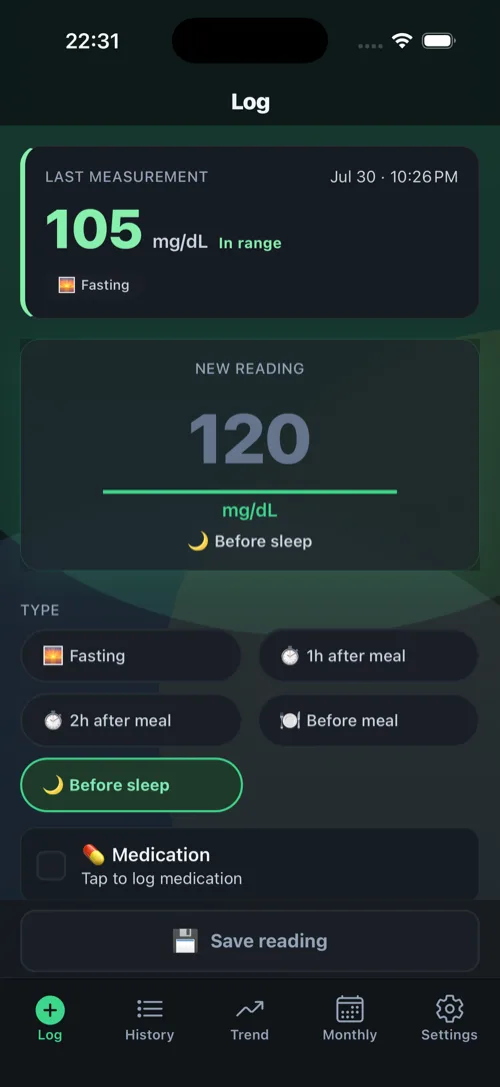
One number, in a few seconds. Add the context that matters — meal, medication, activity, notes — only if you want to.
-
See the trends
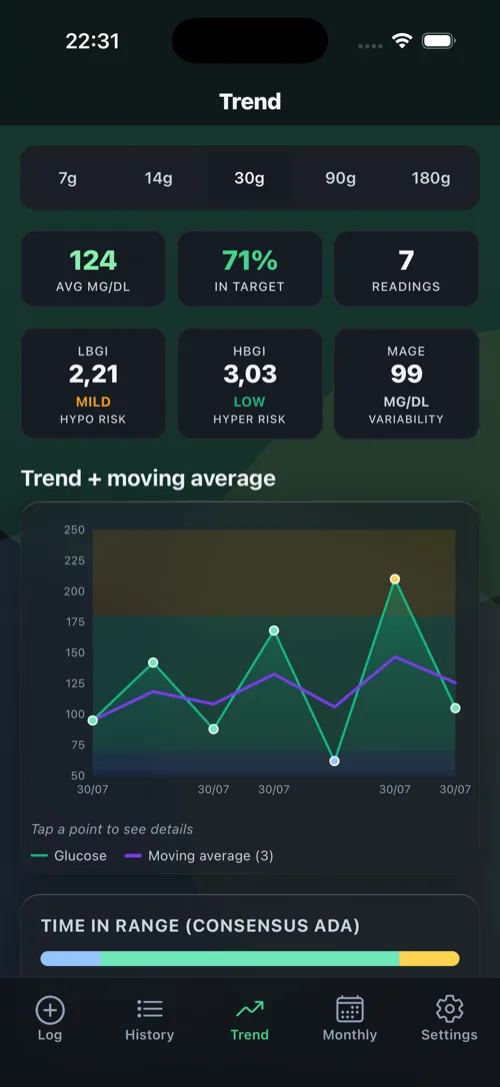
Time in range, hourly profile, calendar: the charts show the bigger picture, not just a single value.
-
Export for your doctor
CSV or a PDF summary, whenever you need it. You share the file yourself, with whoever you choose.
See the app
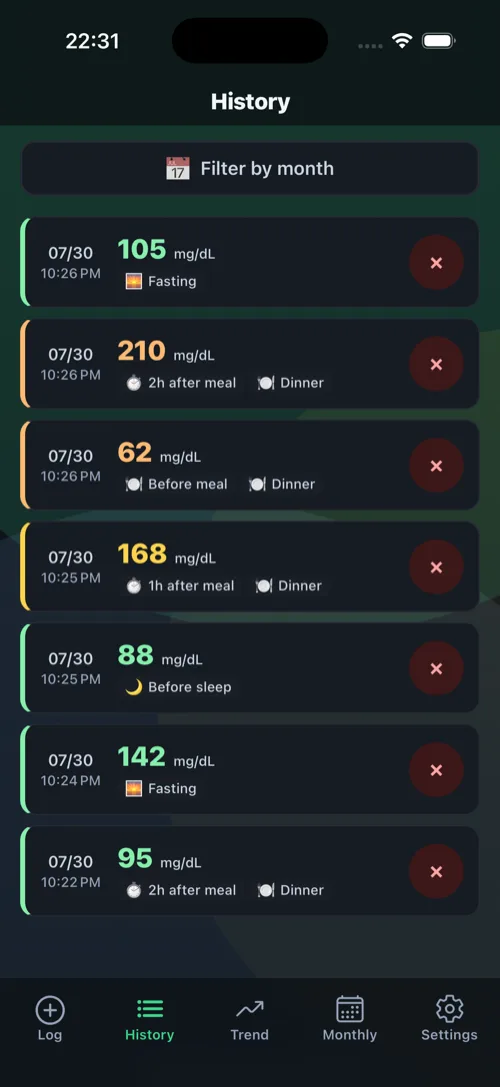
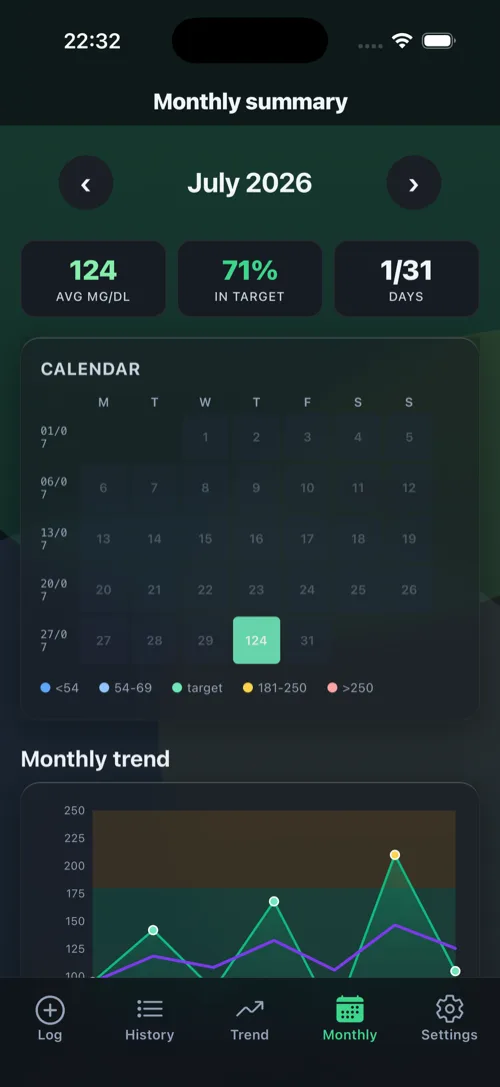
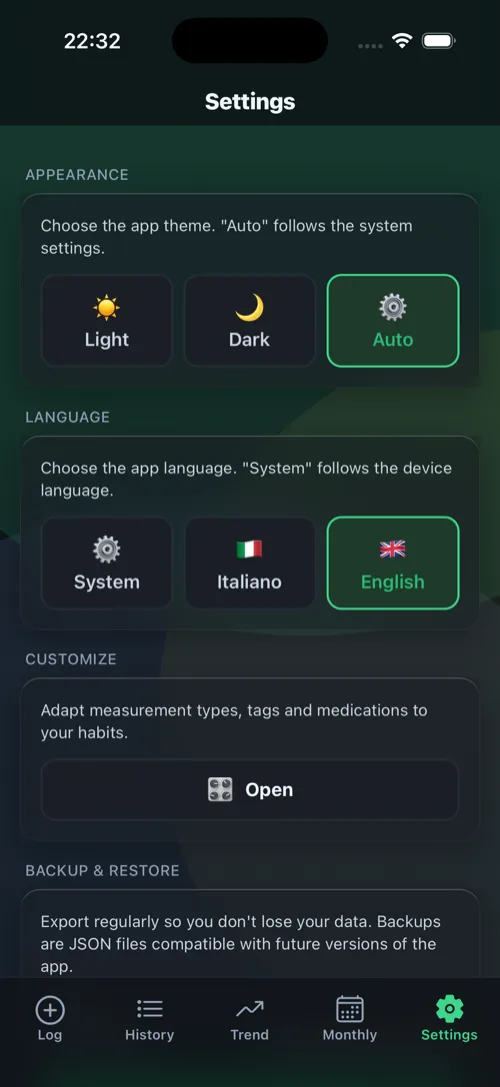
A clean interface, in English and Italian. The values shown are sample data.
What you see
Charts built to help you understand the trend, not just fill the screen. Explanatory diagrams of what the app computes.
Time in range (TIR)
How much of your readings fall inside the target band, at a glance.
Hourly profile
How glucose behaves across the hours of the day, aggregated over time.
AGP
The ambulatory glucose profile: median and variability on a single chart.
Calendar
One month at a time, coloured by how much of each day was in range.
Monthly summary
The month's numbers: averages, time in range, readings logged.
Features
- Fast logging with customizable fields: types, meals, tags, medications.
- Local reminders for your measurements.
- Apple Health: optional blood glucose sync, enabled only by you.
- App lock with passcode or biometrics.
- English and Italian.
Frequently asked questions
Where is my data stored?
On your device, in an encrypted database. There is no account, no server and no developer database: your data is never sent anywhere and cannot be read by anyone but you.
How do I make a backup?
In Settings you'll find the local backup encrypted on device and, on iPhone and iPad, an optional backup to your own personal iCloud Drive — also encrypted, with a key held in your iCloud Keychain.
How do I export data for my doctor?
From Settings you can export to CSV or generate a PDF summary. You share the file yourself, with whoever you choose: the app never sends it anywhere.
I changed device: how do I get my history back?
If you had iCloud backup enabled, restore it on the new device with the same Apple ID. Alternatively, import a backup file you exported earlier.
I forgot the passphrase of an exported backup: what happens?
If you protected an export file with a passphrase and forget it, that file is not recoverable: the passphrase is stored nowhere. That is the cost of real encryption.
How do I lock the app?
In Settings you can enable the lock with a passcode or biometrics (Face ID / Touch ID / fingerprint).
Is syncing with Apple Health or Health Connect required?
No. It's optional and stays off until you enable it; the app works fully without it. If enabled, it only reads and writes blood glucose values.
Is Nivela a medical device?
No. It is an informational self-monitoring tool: it does not replace the diagnosis, treatment or advice of a physician. Always consult your doctor for any decision about your health.
Availability
Nivela hasn't been published yet. It will be available for iPhone, iPad and Android, in English and Italian.
Nivela is not a medical device. It is an informational self-monitoring tool: it does not replace the diagnosis, treatment, or advice of a physician. Always consult your doctor for any decision about your health.